A Fresh Look for ChurchCRM: How Our Interface Has Grown With You
When ChurchCRM launched in 2014, it had one job: give churches a free, reliable way to manage their congregation. The interface was simple and functional — built by volunteers, for volunteers — and it got the job done.
But “functional” and “enjoyable to use” are two different things. And over the years, as churches grew more comfortable with digital tools, the feedback became clear: the look and feel needed to catch up.
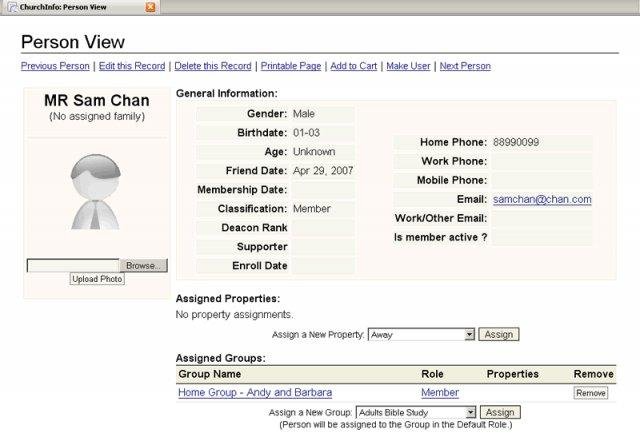 ChurchCRM’s original interface, circa 2014.
That early design reflected what was common across nonprofit software at the time. Dense menus, small text, a layout that assumed you were sitting at a desktop with all the time in the world. It worked. It just wasn’t welcoming.
A Step in the Right Direction
A few years in, the team introduced a refreshed layout that brought more structure and a cleaner navigation experience. It was a meaningful improvement — menus became easier to find, pages felt less cluttered, and the overall flow was more predictable.
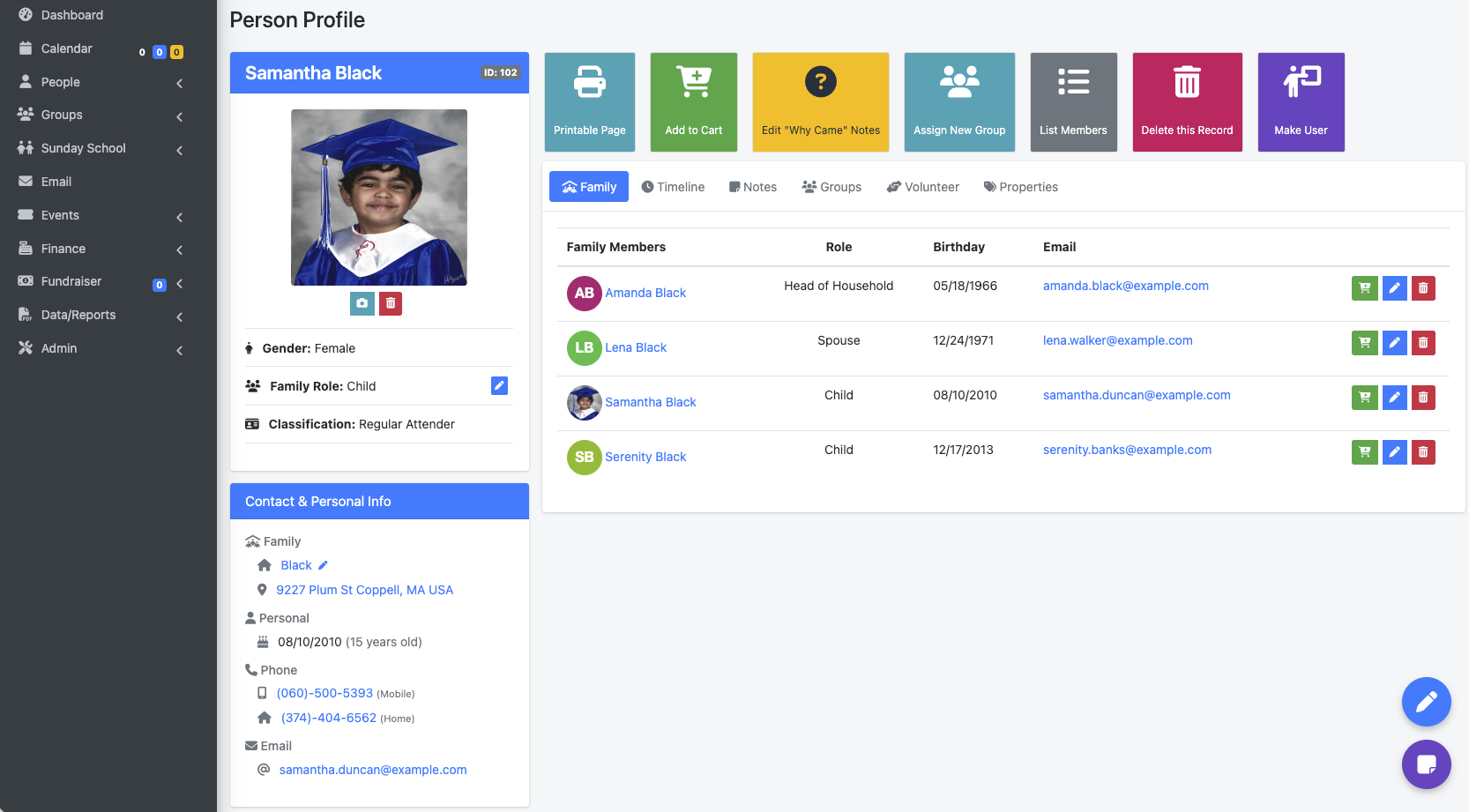 The refreshed interface brought better structure and navigation.
Still, it carried some of the habits of its predecessor. The interface was functional, but it still felt like software built for someone comfortable with technology — rather than the volunteer coordinator running Sunday check-in for the first time.
The feedback kept coming: Can we simplify this? Can it feel less busy?
What Version 7.1.0 Changes
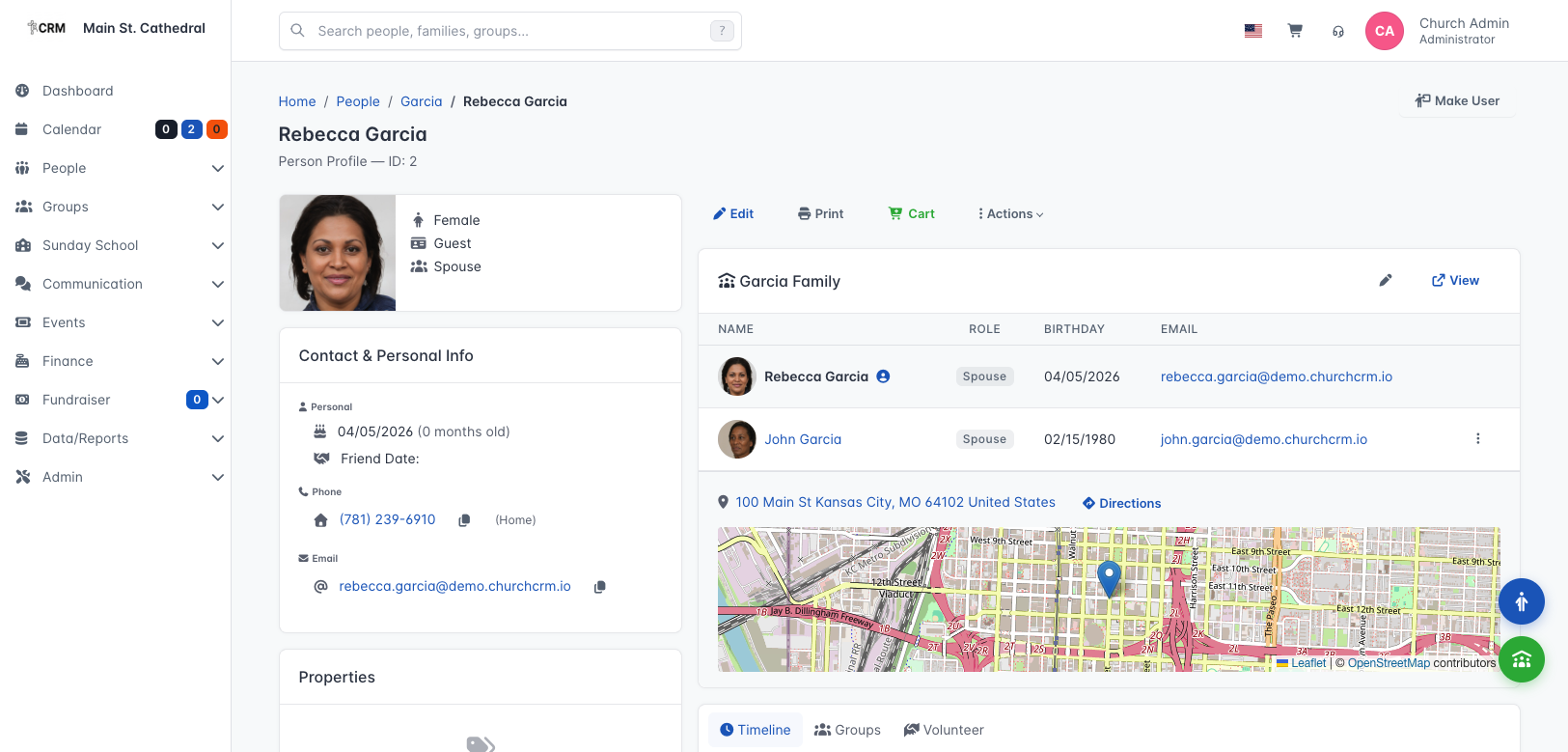
This Easter Sunday, ChurchCRM version 7.1.0 launches with the most significant visual update in the project’s history.
The new interface in version 7.1.0 — clean, organized, and built for how churches actually work.
The new design is clean, organized, and built around how church staff actually work — primarily on tablets and desktop computers. Dashboards are easier to read at a glance. Common tasks take fewer clicks. The layout breathes.
This isn’t a cosmetic refresh. It’s a deliberate investment in making ChurchCRM feel like it belongs in a modern church office — not just a tool that technically works, but one your secretary, treasurer, and pastor actually enjoy opening.
A few things you’ll notice right away:
- Less clutter on every page — the information you need is front and center, without hunting for it
- More consistent navigation — less guessing, more doing, no matter which module you’re in
- Scales cleanly on tablets — because that’s where much of the day-to-day work actually happens
What’s Coming Next
The team is already working on dedicated mobile applications, so that pastors on hospital visits and volunteers checking people in have an experience built specifically for their phones — not just a scaled-down version of the desktop.
We’re committed to this. The 7.1.0 release isn’t the finish line. It’s the foundation.
Try the New Interface
If you’ve been waiting to give ChurchCRM a serious look — or if you walked away once because it felt dated — now is the right time to come back.
ChurchCRM is completely free, and always will be. Your congregation’s data stays on your own server. And now, finally, it looks the part too.
Have feedback on the new interface? Join the conversation on Discord or open an issue on GitHub.