ChurchCRM's Plugin Ecosystem: Extend Your Church Software Without Breaking It
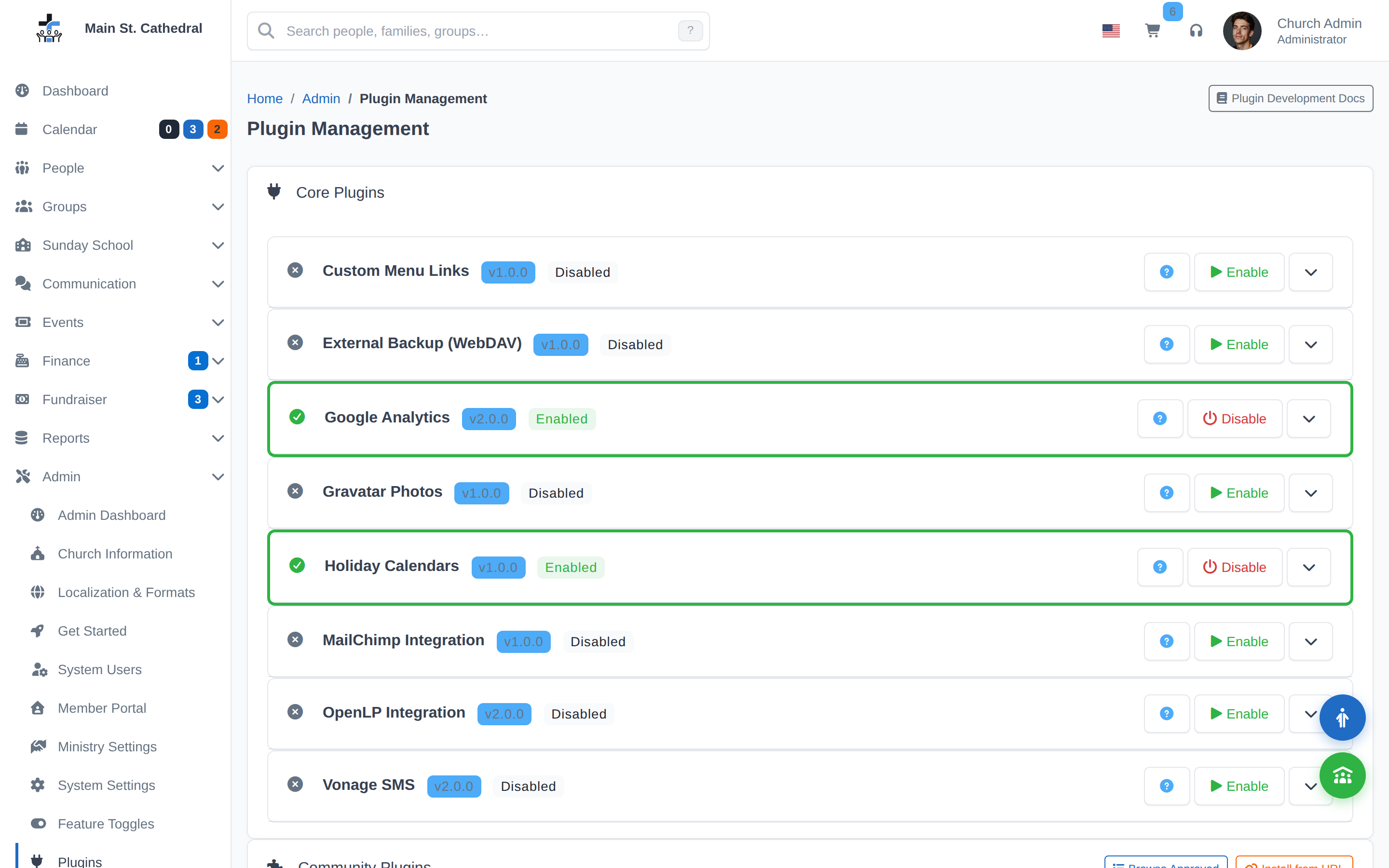
Every church is different. Some rely on MailChimp for their weekly email newsletter. Some run OpenLP to power their presentation slides during service. Others use text messaging to reach families who don’t check email. For years, connecting ChurchCRM to these external tools meant editing configuration files, copying in custom code, or simply going without.
That changes with ChurchCRM 7.x.
How the Plugin System Works
ChurchCRM 7.0.0 shipped a full plugin architecture that lets developers package self-contained features into installable modules. A plugin can add new pages, new menu items, new API endpoints, new notification channels — almost anything — without touching the core application.
For church administrators, this means you get the integration you need without waiting for it to be merged into the main codebase, and without risking your upgrade path.
Plugins live in their own directory, load independently, and can be removed just as cleanly. If a plugin breaks, you disable it. The rest of ChurchCRM keeps running.
The Community Plugin Registry (7.3.0)
ChurchCRM 7.3.0 added the community plugin registry — a curated list of approved plugins you can browse and install directly from the Admin panel.
To access it:
- Go to Admin → Plugins
- Click Browse Community Plugins
- Select the plugin you want and click Install
That’s it. No file transfers, no manual configuration. The plugin manager handles download, placement, and activation.
Every plugin in the registry has been reviewed for:
- Security — no data exfiltration, no credential risks
- Localization — UI text is wrapped for translation
- Compatibility — tested against the current ChurchCRM version
Available Plugins
The registry is growing. Current offerings include:
| Plugin | What It Does |
|---|---|
| MailChimp Sync | Syncs member email lists to MailChimp audiences automatically |
| OpenLP Integration | Displays service order and slide notes from ChurchCRM in OpenLP |
| Vonage SMS | Sends SMS notifications (kiosk parent alerts, event reminders) via Vonage |
| Holiday Calendar | Adds a public-facing church calendar page for your website |
The list expands with each release as community contributors submit and get their plugins reviewed.
Building Your Own Plugin
If you need an integration that isn’t in the registry yet, you can build it. The plugin API is documented in the ChurchCRM plugin development guide, and the registry accepts community submissions through GitHub.
A private plugin (one that doesn’t need to be in the registry) is even simpler — just drop it in your plugins/ directory and it’s active.
A Note for Upgraders
If you were running ChurchCRM 6.x with custom code modifications, the plugin system is the right migration path. Move your customizations into a local plugin, and your upgrade to 7.x becomes clean. The core application remains untouched and fully upgradeable going forward.
Questions about the plugin system? Join us on Discord or see the plugin developer guide.