Kiosk Check-In Now Works for Every Group — Not Just Sunday School
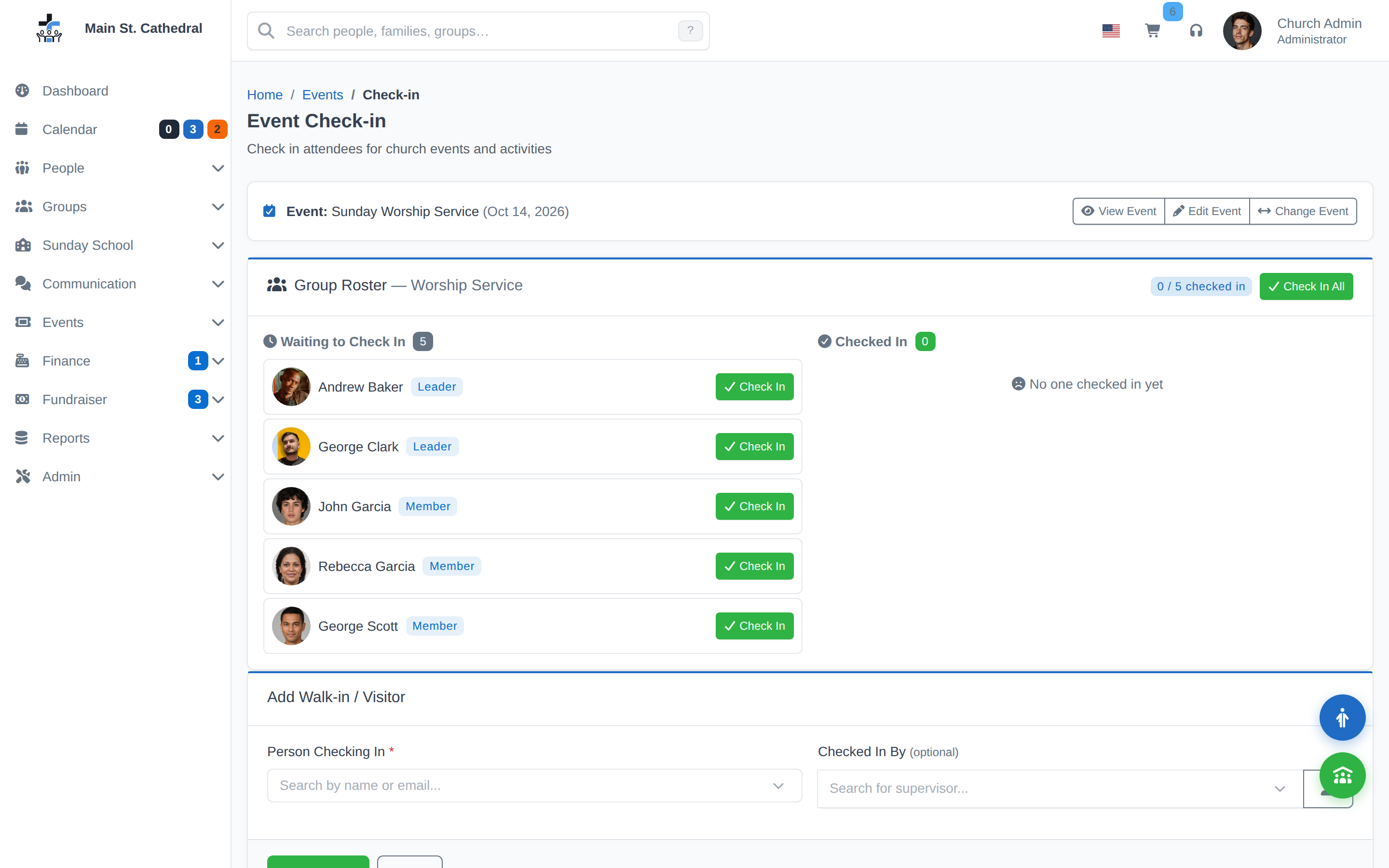
When ChurchCRM’s kiosk check-in system launched, it was built specifically for Sunday School. Classes, teachers, parents, children — the flow was purpose-built for that use case, and it worked well.
But churches run a lot more than Sunday School. Bible studies with sign-in sheets. Youth groups tracking who showed up. Volunteer teams that need to log attendance for insurance. Committees that want a simple record of who was at the meeting.
ChurchCRM 7.3.0 changes the scope: kiosk check-in now works with any group type.
What Changed
In earlier versions, a kiosk device could only be assigned to Sunday School classes. The underlying model — a device linked to a group, with check-in generating an attendance record — was always capable of handling any group type. The 7.3.0 release removes the Sunday School restriction and opens that capability to every group in the system.
The result: any group you’ve created in ChurchCRM can now have a kiosk station.
How to Set It Up
Step 1: Create or choose a group
Any existing group works. Go to Groups → List Groups and find the group you want to add check-in for.
Step 2: Link the group to an event
Kiosk check-in is event-based — attendance is recorded against a specific event instance. Go to Events → Add Church Event, create an event for your group meeting, and associate it with the correct group.
Step 3: Assign the event to a kiosk device
Go to Admin → Kiosk Devices and either create a new device or edit an existing one. Assign your event to the device.
Step 4: Open the kiosk
The kiosk URL is shown on the device record. Open it on a tablet or touchscreen at the entrance to your meeting space. Attendees enter their name or ID and check themselves in.
Attendance records from the kiosk appear in the same event attendance reports as manually recorded attendance. Nothing is separate.
Faster Polling
7.3.0 also improved the kiosk’s real-time responsiveness. The heartbeat interval (how often the kiosk checks for updates) is faster now, which means:
- Parent alerts after child check-in appear sooner
- Staff dashboard refreshes more quickly during high-traffic check-in periods
Who This Helps
- Youth ministry teams tracking teen attendance without paper
- Small group leaders who want a low-friction way to log who attended
- Volunteer coordinators who need check-in records for liability or scheduling
- Larger churches running multiple simultaneous check-in stations across different programs
To learn more about setting up groups and kiosk check-in, see the Kiosk Devices documentation and the Groups documentation.