See it working
Sunday morning check-in, minus the clipboard
The twenty minutes before the service are the busiest of the church week. Families arrive together, a guest family walks in for the first time, and the paper list never quite keeps up. Here is how check-in runs in ChurchCRM, from the calendar to the last child collected.
It starts with the calendar
Services, Sunday School classes, and groups already live on the church calendar. The kiosk opens on what is happening that morning, so there is nothing to set up at the door. Volunteers sign in, pick the event, and the first family can check in straight away.
Guests register themselves
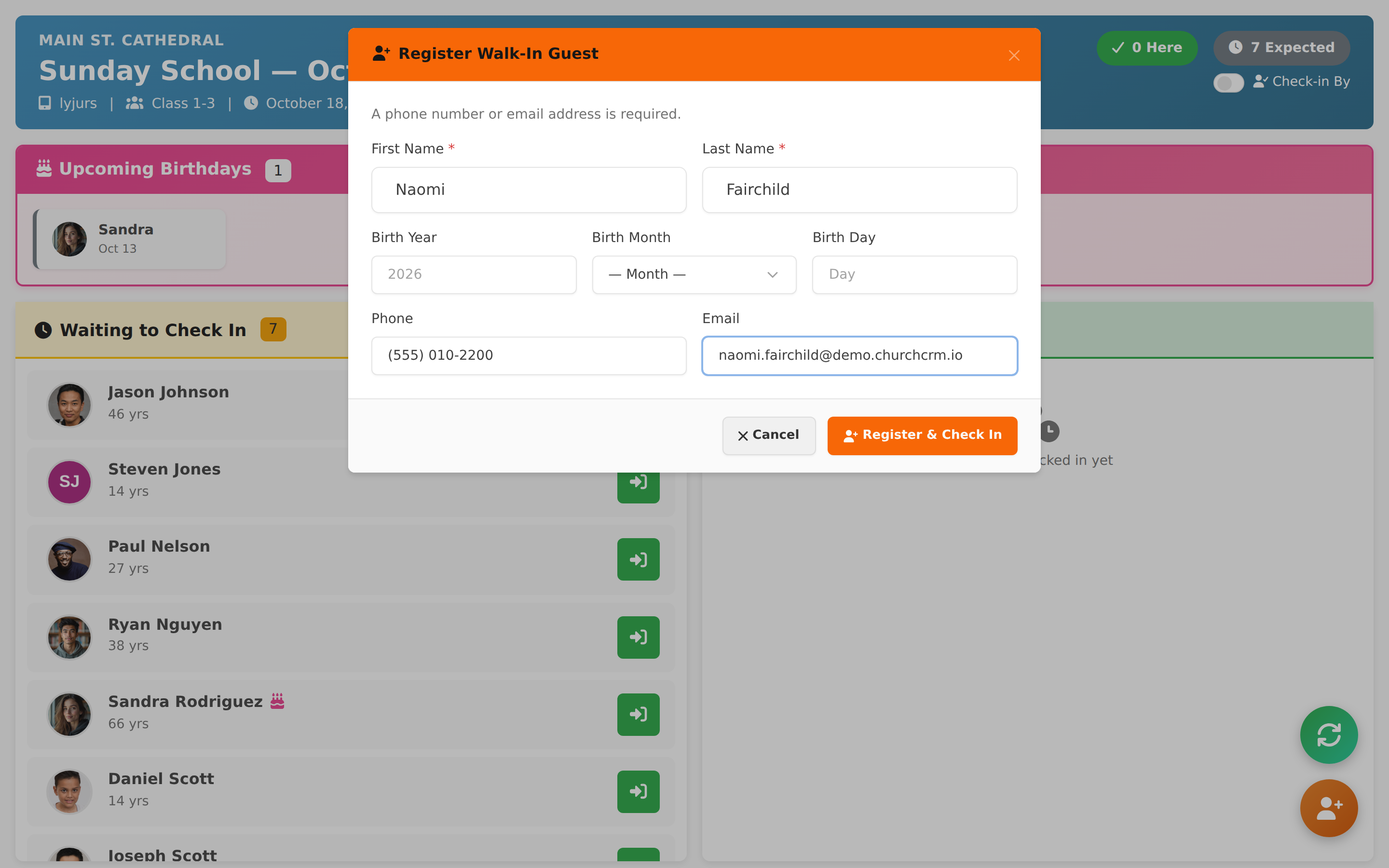
A family visiting for the first time taps Register Walk-In Guest and leaves a name with a phone number or email. There is no account to create and no paper card for someone to decipher later. The registration waits for a staff member to review it, so new people reach the directory only after a human has seen them.
Families check in, and back out
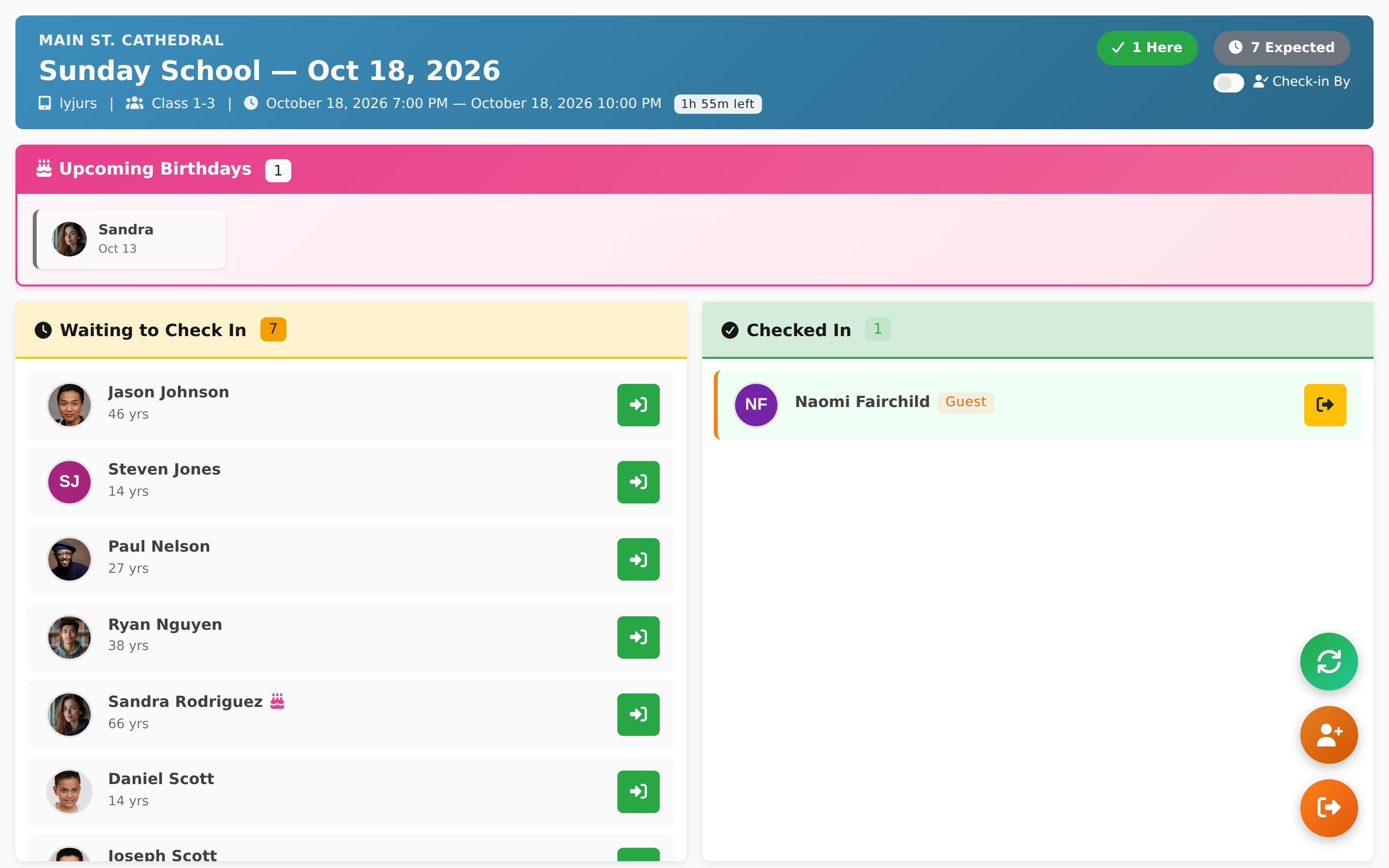
Families who come every week find their name, tap their children, and head in. When the service ends, the same kiosk checks each child out again, to the family member picking them up. No queue at a desk, and no guessing who has already gone home.
Afterwards, the morning is on record
Attendance belongs to the event, so the calendar tells the story of the day: which classes met, who came along, and which guests visited for the first time. Follow-up starts from real names and real visits, the people your church actually met on Sunday.
Setting up a kiosk? Read the kiosk guide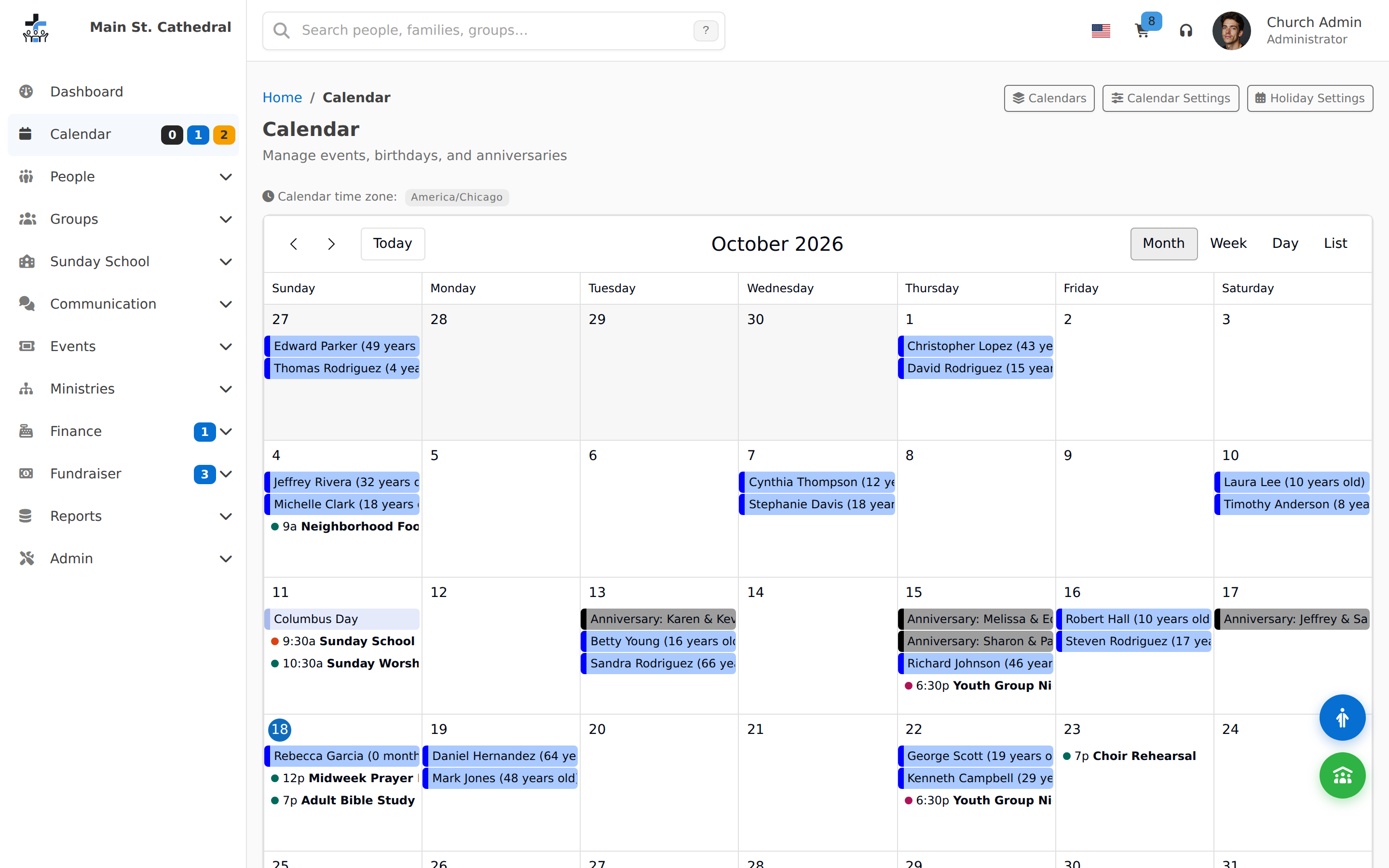
Try it on the live demo
The demo runs the real ChurchCRM with sample people and events, so you can open the kiosk and check a child in yourself. When your church is ready, ChurchCRM is a free download that runs on your own hosting.
Check-in is one morning of the week. See the other workflows