Demo
Live Demo — Explore ChurchCRM
Softaculous creates a private ChurchCRM instance just for you — no signup or installation required.
01 — Sample data
Import Demo Data
Load sample records first so the demo feels like a real church database.
The hosted demo starts with little or no sample data. Import the demo dataset once, then explore families, people, groups, notes, and workflows with realistic records.
What gets added
- 50+ families
- 175+ people
- 15+ groups and classes
- notes, events, and contribution samples
- safe fictional records for testing
How to import it
- Open the demo and go to the Admin Dashboard.
- Select Add Your Data.
- Under Explore with Demo Data, select the demo data import option.
- Click Import Demo Data and confirm.
- Wait for the import to finish.
- Start exploring the populated records and reports.
02 — The demo
Experience ChurchCRM in Action
The Softaculous-hosted demo creates a private ChurchCRM instance at a unique URL just for you. Explore member management, giving records, events, Sunday School, and more — your instance is isolated from other visitors and expires automatically when your session ends.
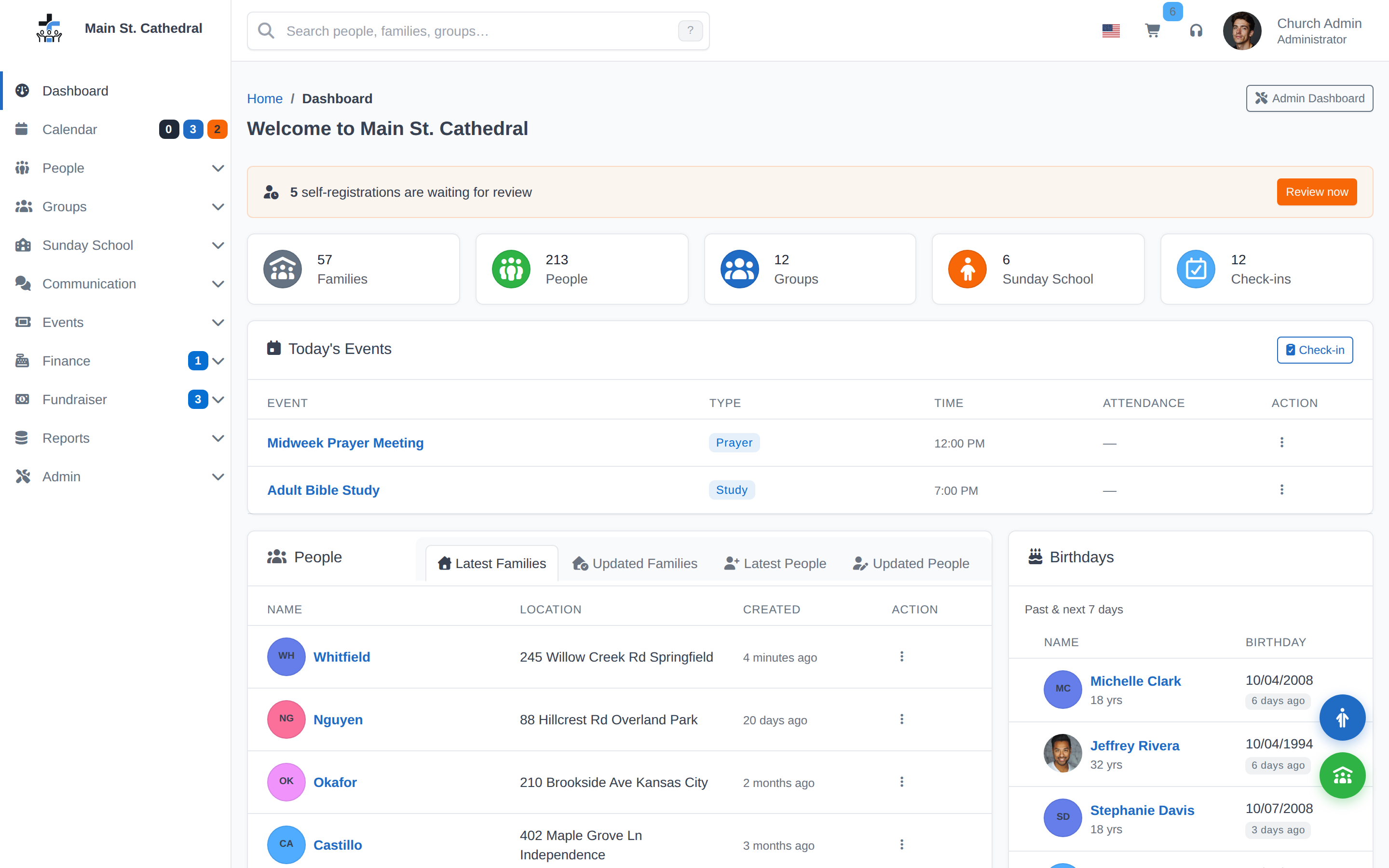
- Demo InformationDuration: Session-limited — instance expires automatically
- Data: Fresh private instance created for you on each visitAccess: Available 24/7
- First Step: Import Demo DataThe import may take a little while to complete. See the Import Demo Data section above for full instructions.
03 — Inside the demo
What You Can Do
Explore these powerful features in the demo
- Member ManagementOrganize and manage your congregation with detailed member profiles, contact information, and family relationships.
- Financial TrackingTrack giving, manage pledges, create reports, and maintain transparency in your church's finances.
- Event ManagementSchedule services, organize events, manage attendance, and coordinate church activities.
- Sunday SchoolOrganize classes, track attendance, manage rosters, and coordinate religious education programs.
- Communication ToolsSend emails, SMS, and in-app messages to your congregation
- Maps & GeographyVisualize member locations and neighborhood outreach
- Reports & AnalyticsGenerate custom reports on giving, attendance, and more
- Volunteer CoordinationManage ministry teams, assignments, and service opportunities across your church.
04 — Localisation
Global Language Support
ChurchCRM serves congregations worldwide with community-driven translations.
Europe
- English
- French
- German
- Italian
- Spanish
- Portuguese
- Dutch
- Polish
- Russian
- Swedish
- Norwegian
- Finnish
- Greek
- Hungarian
- Czech
- Romanian
- Ukrainian
- Albanian
- Estonian
- Croatian
- Latvian
- Slovenian
- Serbian
Americas
- English US
- English CA
- English JM
- Spanish
- Spanish MX
- Spanish AR
- Spanish CO
- Spanish SV
- Portuguese BR
Africa & Middle East
- English ZA
- Afrikaans
- Arabic
- Hebrew
- Amharic
- Swahili
Asia & Pacific
- Chinese Simpl.
- Chinese Trad.
- Japanese
- Korean
- Hindi
- Tamil
- Telugu
- Malayalam
- Vietnamese
- Thai
- Indonesian
- Burmese
- English AU
Missing your language?
Join the translation projectPrivacy Reminder
The public demo is shared and resets regularly. Do not enter real member, giving, counseling, or other sensitive church data.
Best Viewed on Desktop
The demo works on mobile, but dashboards, reports, and admin workflows are easier to evaluate on a laptop or tablet.